
This is a sneak preview -- you are seeing this page because you need to possibly
approve this content and get back to us. Have a great day!
 Jake Pechtel is the Strategy Lead for TechSmith’s popular screen recording and video editing desktop software, Camtasia. He has an extensive background in marketing and branding, as well as mobile games and applications.
In this conversation, Jake discusses the new Camtasia 9.
Geetesh: Camtasia 9 seems like a big release with several new features. Can you briefly tell about the new features, and then talk about your favorite, new feature?
Jake: Camtasia 9 is definitely a big release for both TechSmith and our customers. Our team has really taken the time to improve everything from the user interface , the feel, and performance of the editor and adding new assets such as music tracks, icons and motion graphics to make videos look even more polished.
Camtasia is now a 64-bit application as well, which means fans of Camtasia 8 will notice quicker render times and a boost in stability—even on more complex projects that feature a lot of effects and edits.
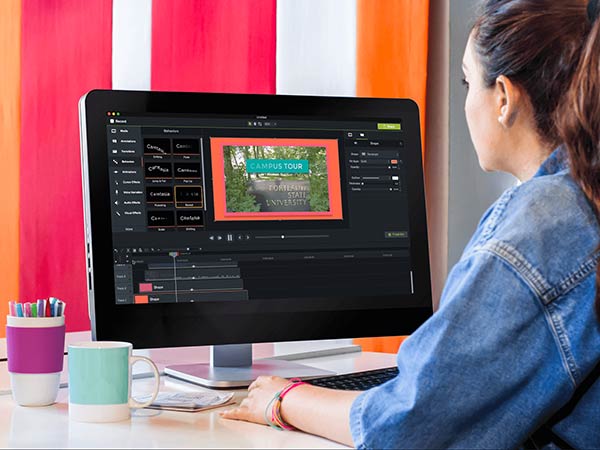
We hear from customers in many industries that a big challenge is getting viewers to pay attention to their recorded presentations or videos. Solving that problem includes making your content visually engaging and interesting. To help address this challenge, we’ve added a new feature to Camtasia called Behaviors. These are eye-catching effects and movements that creators can apply to text, images, icons, and other media in your video.
To keep with Camtasia’s mission of making amazing videos easy to create, we’ve made the Behaviors feature drag and drop—either directly into the preview window or onto any object on the timeline. We want everyone, of any skill level to be able to create remarkable videos that make their audience take notice and say ‘wow!’
To add even more interest and engagement to videos created with the new Camtasia, we’ve also completely refreshed the assets included with Camtasia. This includes stunning animated backgrounds and motion graphics, new music tracks, and modern icons that really add a lot of visual appeal to any project. All of these elements are drag and drop, and simple to customize.
Our Camtasia users who have both a Mac and Windows machine will be happy to know that with this release, they can now share projects cross-platform thanks to our new common file format.
It’s hard to have a favorite new feature, and I’m probably not supposed to have one anyway, but I am really impressed with the remarkable content that can be created by combining Behaviors and the new asset library. I can’t wait to see what our users create once they start diving into these features.
Microsoft and the Office logo are trademarks or registered trademarks of Microsoft Corporation in the United States and/or other countries.