
This is a sneak preview -- you are seeing this page because you need to possibly
approve this content and get back to us. Have a great day!
 Tom Kuhlmann is VP, Community for Articulate, where he manages the Articulate user community. He also writes the Rapid E-learning Blog which is published weekly to over 100,000 readers. Tom has developed and managed e-learning courses for both large and small organizations. He’s passionate about learning technology and his core focus is on helping people succeed and grow. He is known throughout the industry for his practical, no-nonsense approaches to e-learning. He’s also a frequent speaker at ASTD and e-learning industry events. He has a Master’s in Education Technology from Pepperdine.
In this conversation, Tom discusses the new Articulate Storyline 2.
Geetesh: What are your favorite features in Articulate Storyline 2?
Tom: There are a lot of nice features in Storyline 2 such as motion path animations, HTML5/mobile authoring, and Articulate Replay (a bonus application). But for the sake of keeping this post short, I'll just focus on the interactive sliders and share a few examples.
One of the goals with interactive e-learning is to have the users interact with the content. We want them doing things onscreen as well as making decisions. The interactive sliders are really easy to use and empowers the course creator to do all sorts of things.
Here are three unique examples:
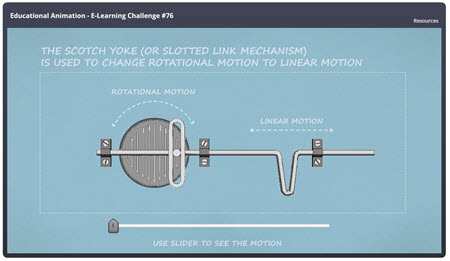
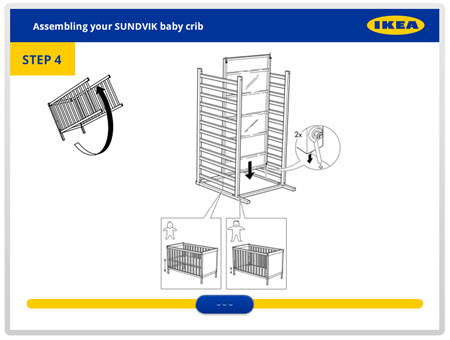
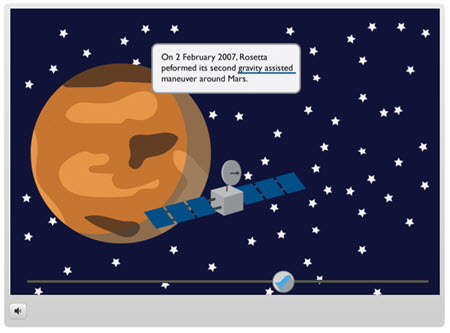
The interactive sliders in Storyline 2 really open up a lot of what you can do to engage the learners and create an effective interactive experience.
Geetesh: How easy is it for a Storyline newbie to get started – and create something quick? How long is the learning curve?
Tom: The first time people use Storyline they'll feel what I like to call "PowerPoint" comfort. The tool is designed to be familiar and easy to use. If you're comfortable with PowerPoint you'll find a home in Articulate Storyline. And in that sense it's easy for someone to get started.
Ultimately it's just a screen. And you decide what to put on it. And there's really only so much you can put on the screen: text, images, video, shapes, etc.
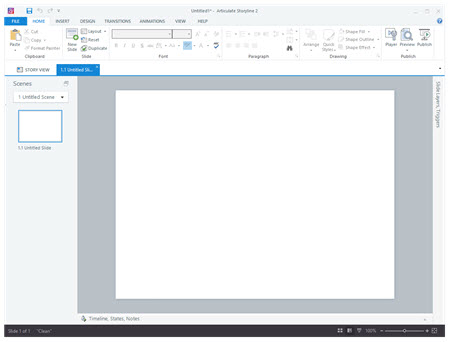
As far as learning curve, it's really a matter of what you want to do and how complex you want it to be. We kind of like to think that Storyline is a tool that grows with you. In some authoring tools you have to learn quite a bit about it to just get started with basic courses. That's not the case with Storyline. You can open up a file, add content, and publish in no time at all.
However, Storyline's capabilities evolve as your skills improve and your needs change. For example, you can do some complex things with variables. However, you don’t need to learn anything about variables to get started. But when you do get to the point where variables make sense, Storyline's got you covered.
I've facilitated dozens of getting started workshops and after about an hour, most people feel comfortable working with Storyline. From that point, it's just a matter of figuring out what you want to do and then learning to use the features to do it.
Geetesh: What resources do you offer to those who want to get started today?
Tom: What really separates Articulate from other companies is our fanatical focus on our customers. We want to make sure that you're successful using our tools. Because of that we have all sorts of resources available to help Storyline users succeed. But it's not limited to Storyline (or Articulate customers). If you need to build e-learning courses and need help, we'll do what we can to help you.
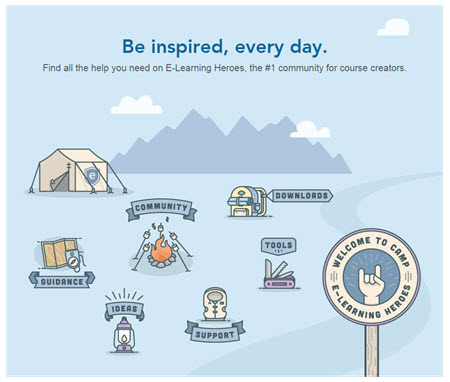
There’s a lot to like about Articulate Storyline 2. If you need to build e-learning courses you’ll get a complete authoring solution where you can do everything from screencasts and software simulations to more traditional presentations and e-learning courses. If you want to learn more jump into the community and ask.
See Also:
Articulate Studio '13: Conversation with Tom Kuhlmann
Articulate Storyline: Conversation with Tom Kuhlmann
Articulate, PowerPoint, and E-Learning: Conversation with Tom Kuhlmann
Articulate Presenter ’09: Conversation with Mark Schwartz
Microsoft and the Office logo are trademarks or registered trademarks of Microsoft Corporation in the United States and/or other countries.