
This is a sneak preview -- you are seeing this page because you need to possibly
approve this content and get back to us. Have a great day!
 Sunil Chandna is the CEO of Stellar Information Systems Ltd. He heads the Sales and Marketing operations for Stellar, a company involved with data recovery software solutions and services business since 1993. Stellar develops data recovery software across different categories, such as hard disk recovery, database recovery, email recovery, password recovery, and Microsoft Office file recovery.
In this conversation, Sunil discusses Stellar's Phoenix PowerPoint Repair product.
Geetesh: Why do perfectly good PowerPoint presentations get corrupt, and what can everyday users do to prevent their presentation files from getting corrupt?
Sunil: There are dozens of things that can corrupt even your perfectly fine PowerPoint presentations. Typical symptoms include mis-positioning of objects in your PowerPoint slides, missing or overlapped images, animations not working as expected. Often, it is not possible to open a corrupt PowerPoint presentation. Some known reasons for damage to your PPT/PPTX files are virus infection, abrupt termination of the program, enabling "Allow fast saves" option, and the like. You can prevent PowerPoint file corruption in the first place and safeguard your valuable data by considering the following options when dealing with these files:
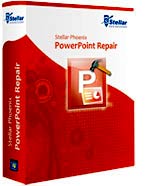 Geetesh: Your Stellar Phoenix PowerPoint Repair retrieves corrupt PowerPoint files -- can you share some info about your product, and also give us a few examples where it helped users salvage their content?
Sunil: Stellar Phoenix PowerPoint Repair is a smart, user-friendly tool that repairs PowerPoint file corruption and resurrects the file with all its original formatting and attributes. The software fixes the file header and repairs corruption in individual objects used in your presentation. The competent tool can safely restore header/footer/slide number, charts, comments, hyperlinks, AutoShapes, OLE objects, Notes page, forms, modules, and more.
Here are a few common PowerPoint file corruption scenarios:
Microsoft and the Office logo are trademarks or registered trademarks of Microsoft Corporation in the United States and/or other countries.